Turn your booking system into a complete business solution with built-in online payments. CalendarLite lets you accept payments at the time of booking or in person, giving you full flexibility to manage how and when you get paid.
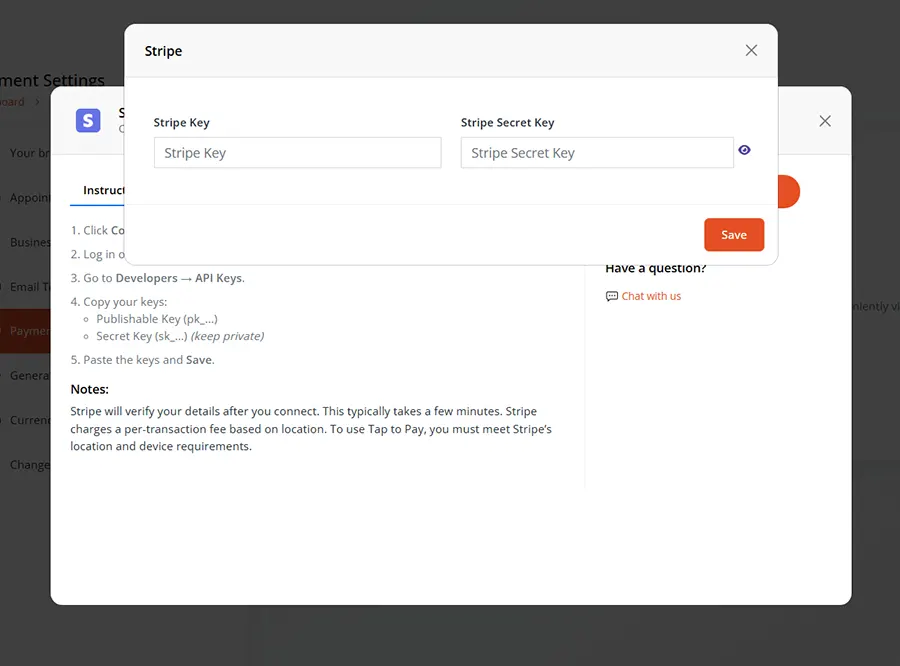
No complicated setup — just connect your preferred payment provider and you’re ready to go.
Works with your favorite secure payment networks
Multiple Payment Gateways
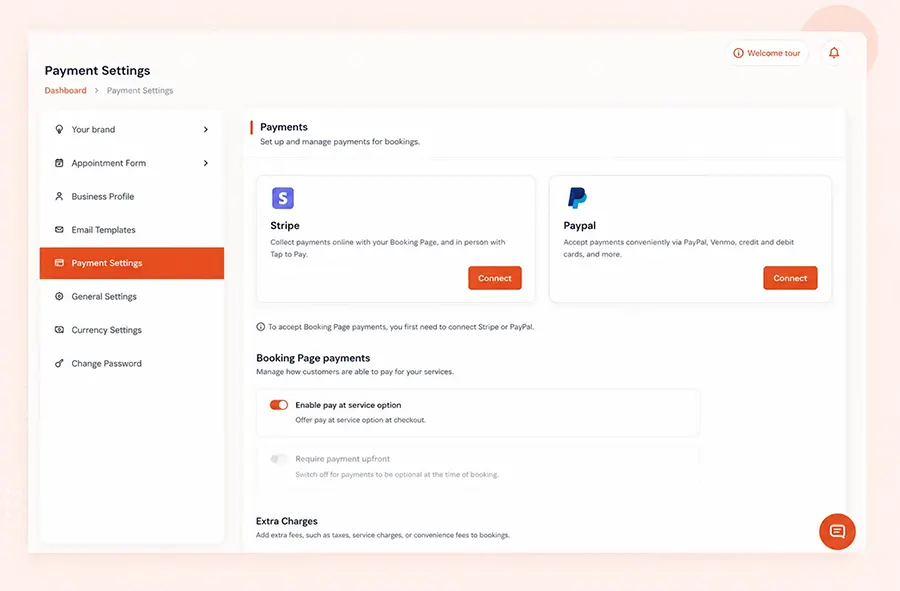
Connect Stripe & PayPal Instantly
Easily integrate with trusted payment providers like Stripe and PayPal. Accept credit cards, debit cards, and digital payments without any technical setup.
Flexible Payment Options
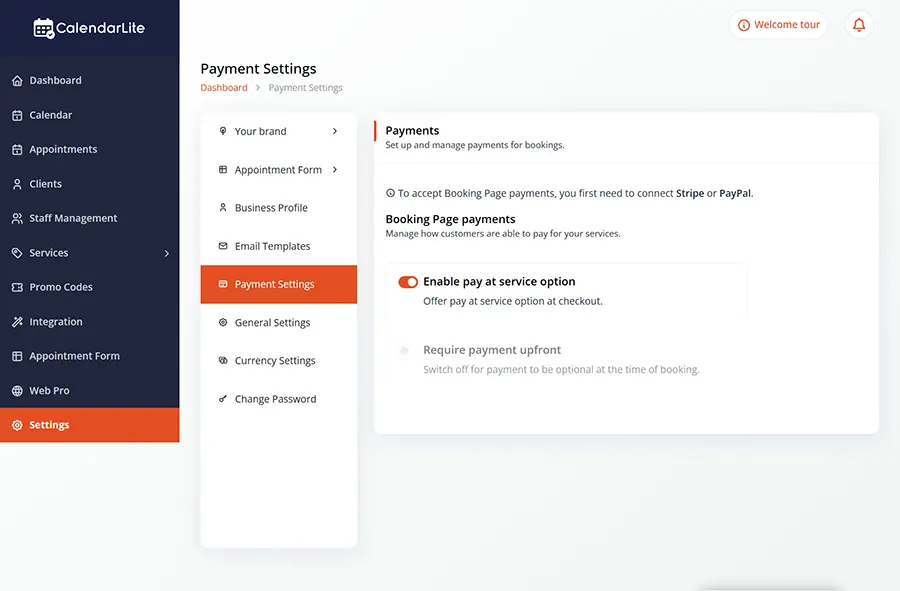
Choose How You Get Paid
Offer flexible payment options like “Pay at Service” or require payments upfront. Customize your checkout experience to match your business needs.
Extra Charges & Fees
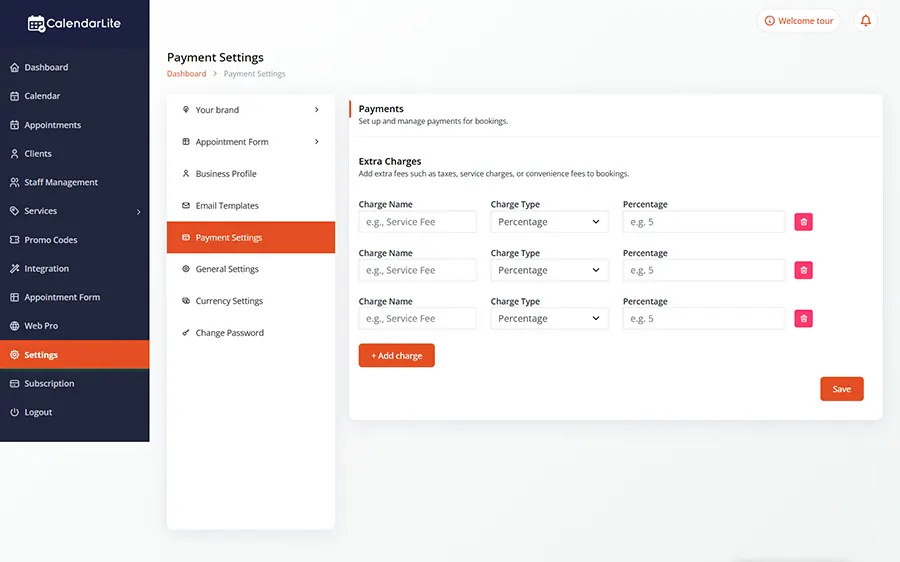
Add Taxes & Service Charges Easily
Include additional fees such as taxes or service charges directly in your bookings. Maintain transparency while maximizing your revenue.
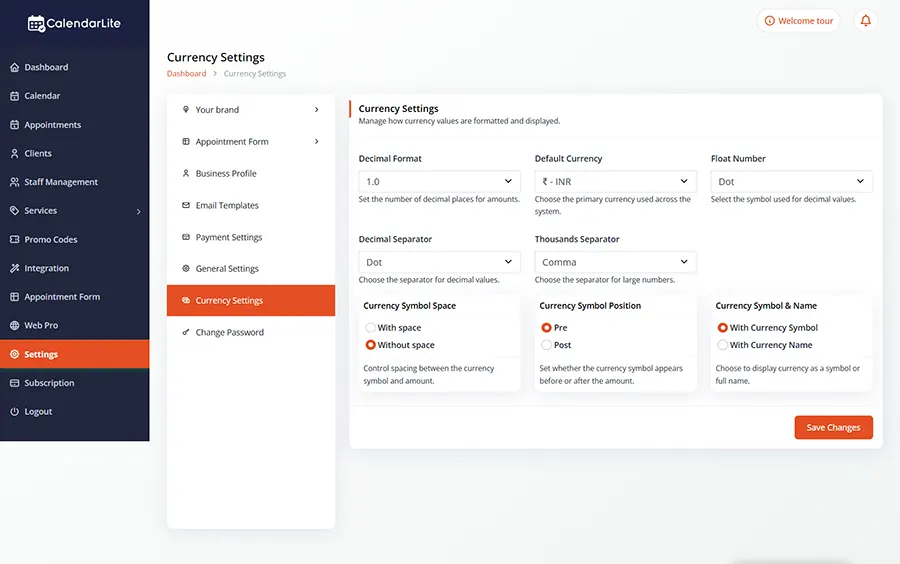
Currency Settings
Support Multiple Currencies
Configure currency formats, symbols, and display settings to match your region or business requirements. Deliver a localized experience to your customers.
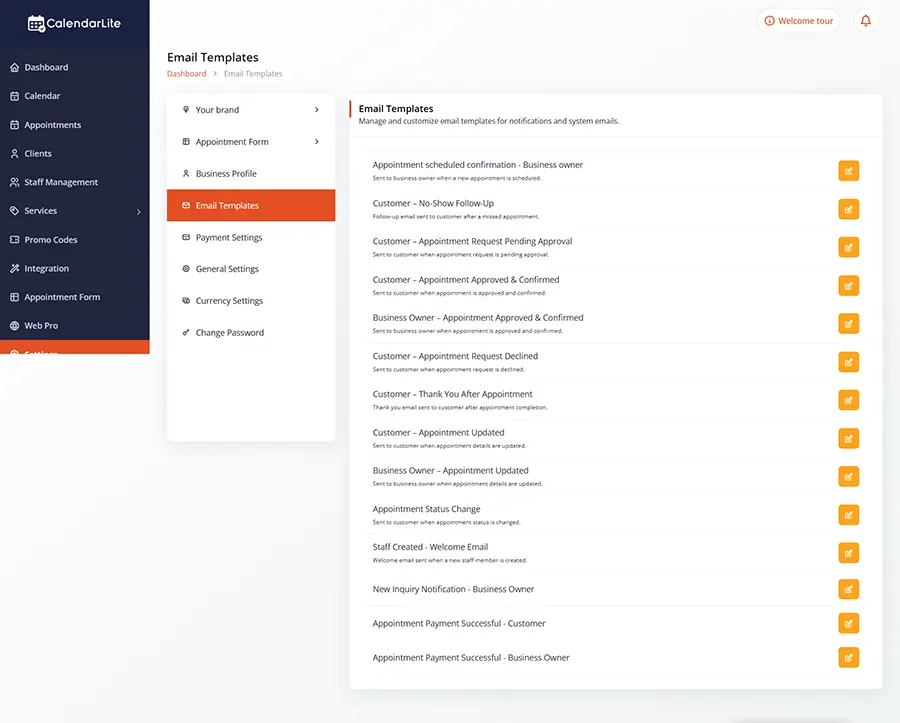
Automated Payment Notifications
Payment Notifications
Keep customers informed with automatic payment confirmations and reminders. Customize email templates to match your brand and communication style.
BENEFITS
Get Paid Faster with Seamless Online Payments
Accept payments directly from your booking page
Reduce no-shows with upfront payments
Improve cash flow with faster transactions
Offer flexible payment options to customers
Deliver a secure and professional checkout experience