Stop wasting time manually copying, pasting, and emailing meeting links. CalendarLite instantly secures a unique Google Meet room, schedules the invite, and syncs calendars automatically when clients book.
Follow this quick step-by-step process inside your dashboard to link CalendarLite and start generating Google Meet invitations.
1
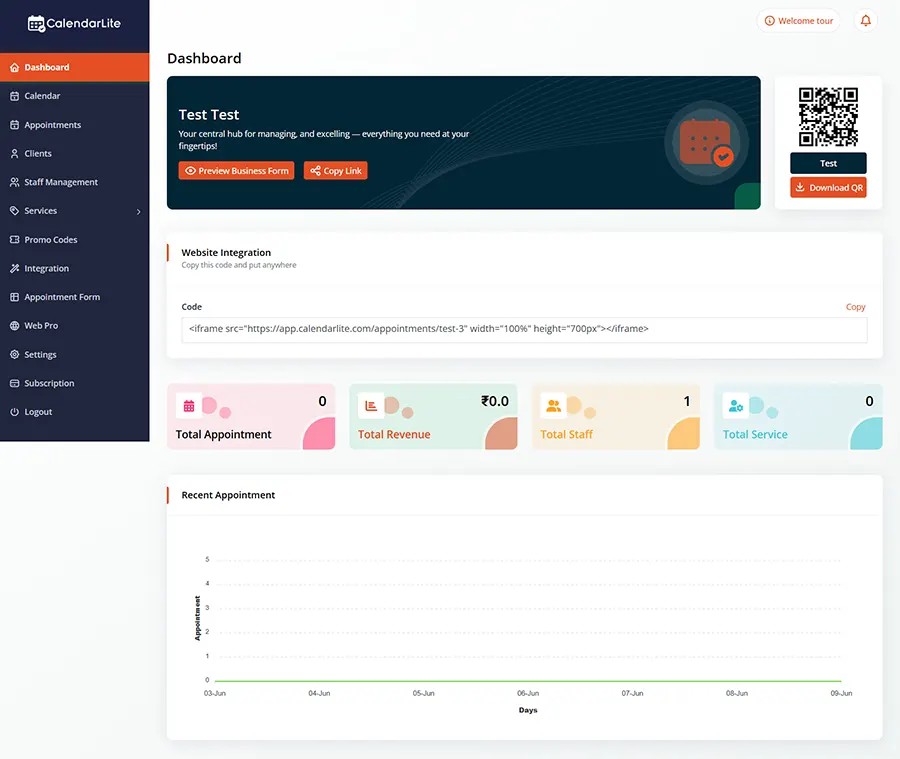
Go to Integrations
Navigate to the native Integrations panel inside your CalendarLite dashboard settings.
2
Select Google Meet
Navigate to the native Integrations panel inside your CalendarLite dashboard settings.
3
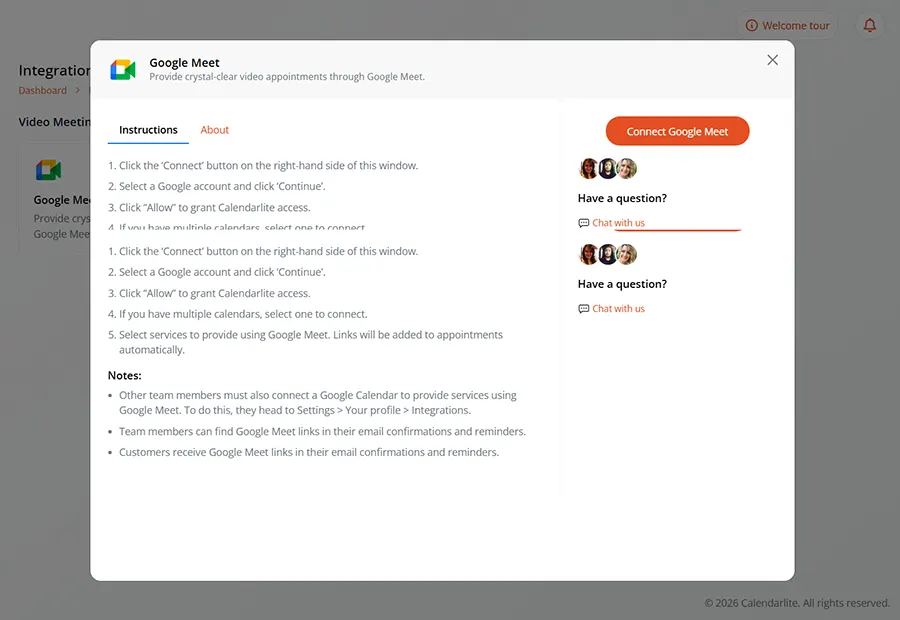
Connect & Authorize
Click the “Connect” button inside the modal and grant Google calendar permissions.
Automatic Meet Creation
Every Booking Includes a Google Meet Link
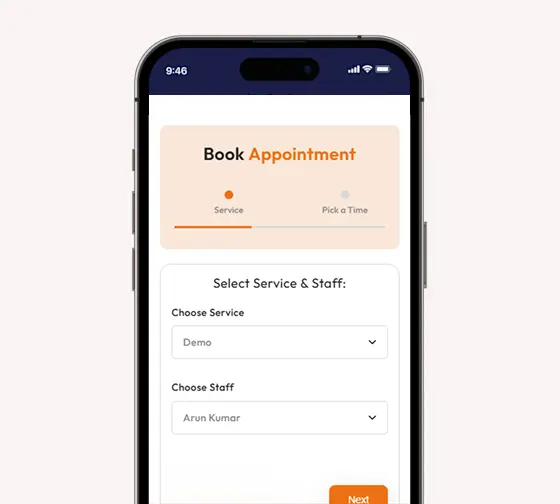
When a client books an appointment, CalendarLite automatically creates a unique Google Meet room and adds it to the booking. No manual setup, copy-pasting, or separate scheduling required.
The meeting link is included in confirmation emails, reminders, and calendar events, ensuring both you and your clients are ready to join with a single click.
Real-Time Calendar Sync
Keep Google Calendar and Meetings in Sync
CalendarLite synchronizes with your Google Calendar in real time to prevent scheduling conflicts and double bookings. Every appointment automatically appears in your calendar along with its Google Meet details.
When appointments are rescheduled or canceled, CalendarLite updates the corresponding Google Meet event automatically, keeping everything accurate and organized.
Seamless Virtual Scheduling
Deliver Professional Online Appointments
Create a smooth virtual experience from booking to meeting. Clients receive automated confirmations, reminders, and Google Meet links, reducing missed appointments and improving attendance.
Whether you’re running consultations, coaching sessions, interviews, or online services, CalendarLite makes virtual scheduling simple and professional.
Everything you need to set up online booking for your clinic or studio.
Does it cost extra to use the Google Meet integration?
No. The Google Meet integration is included in CalendarLite’s core features. You can connect your Google account even on our free tier.
Do my attendees need a Google/Gmail account to join?
No! Anyone with the Google Meet link can join the meeting from their web browser. They do not need a Google or Gmail account to participate in the call.
Can I connect multiple Google Calendars?
Yes! CalendarLite supports connecting multiple calendars to check for conflicts, ensuring you never get double-booked across your personal and professional accounts.
What happens if I reschedule a meeting?
If you or your client reschedules through CalendarLite, the platform instantly updates the calendar event on both your Google Calendar and theirs. The Google Meet video link will remain active for the updated time automatically.
Is the integration secure?
Absolutely. CalendarLite uses secure OAuth 2.0 protocols to connect to your Google account. We only access the permissions necessary to manage your calendar events and generate Google Meet links. Your personal data is fully encrypted and safe.
Ready to Automate Your Virtual Meetings?
Eliminate scheduling friction, save time, and present a highly professional image to your clients. Get started with CalendarLite’s Google Meet integration today