Simple, flexible, and fully customizable.
Design Beautiful Forms That Match Your Brand
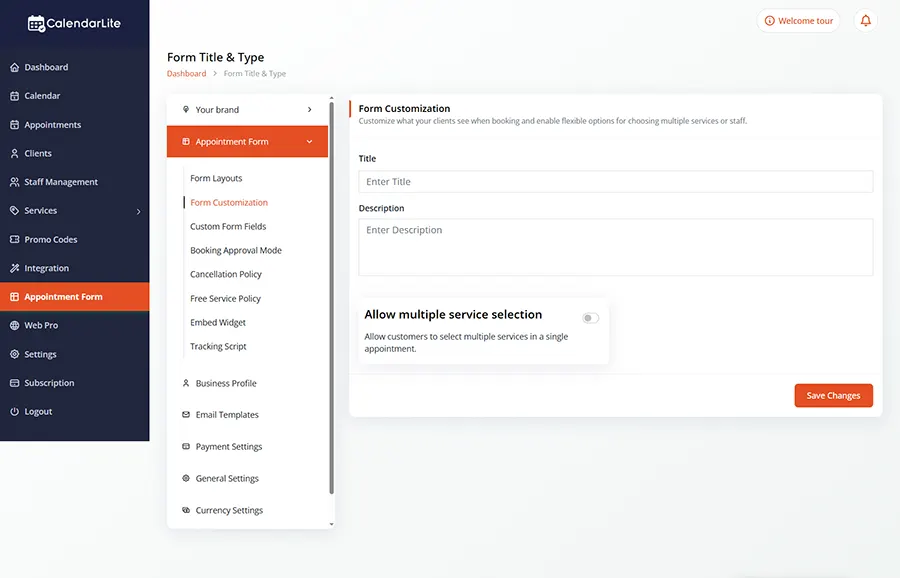
Customize every detail of your booking forms — from layout and colors to fields and behavior — without writing a single line of code.
Your forms are the first interaction customers have with your booking experience. With CalendarLite’s Form Design Customizer, you can create clean, professional, and fully branded forms that convert visitors into confirmed appointments.
No technical skills required — just drag, drop, and customize.
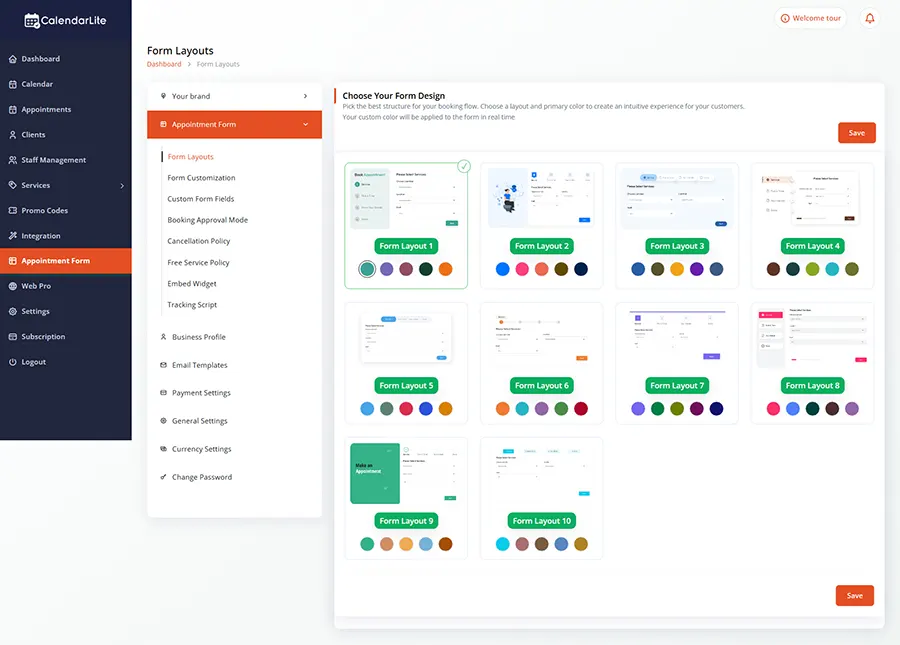
Customize Colors, Fonts & Layouts
Full Design Control
Match your forms perfectly with your brand. Adjust colors, typography, spacing, and layout styles to create a consistent and professional look.
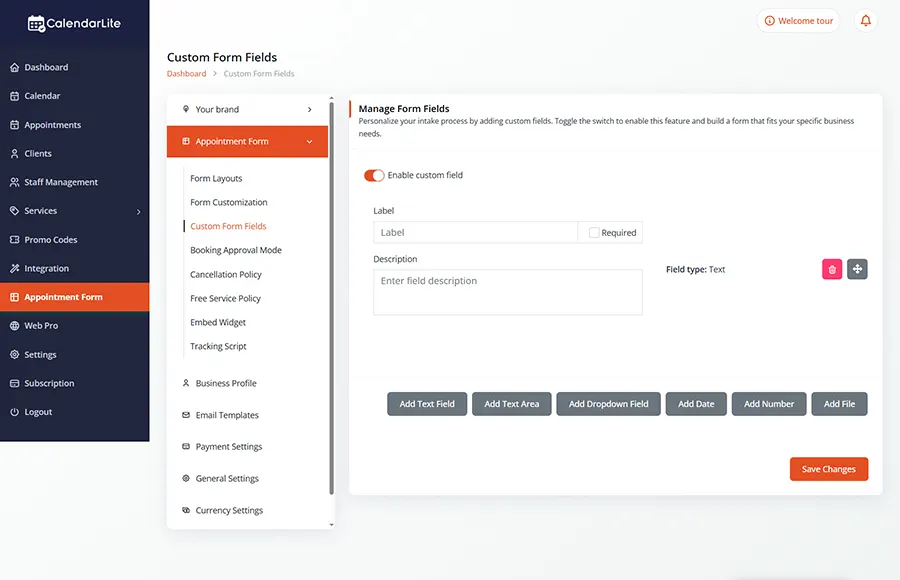
Flexible Fields & Input Types
Smart Field Options
Choose from a variety of field types like text, dropdowns, checkboxes, and more. Make fields required, optional, or condition-based to collect exactly what you need.
Real-Time Live Preview
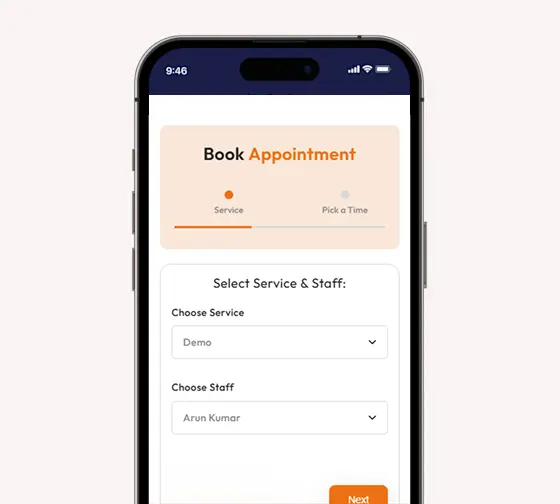
See your changes instantly as you design. Ensure your form looks perfect on desktop and mobile before publishing.
Fully Responsive Design
Mobile Optimized Forms
Your forms look great on every device. Deliver a seamless experience whether your customers are booking from desktop, tablet, or mobile.
Embed Anywhere, Share Everywhere
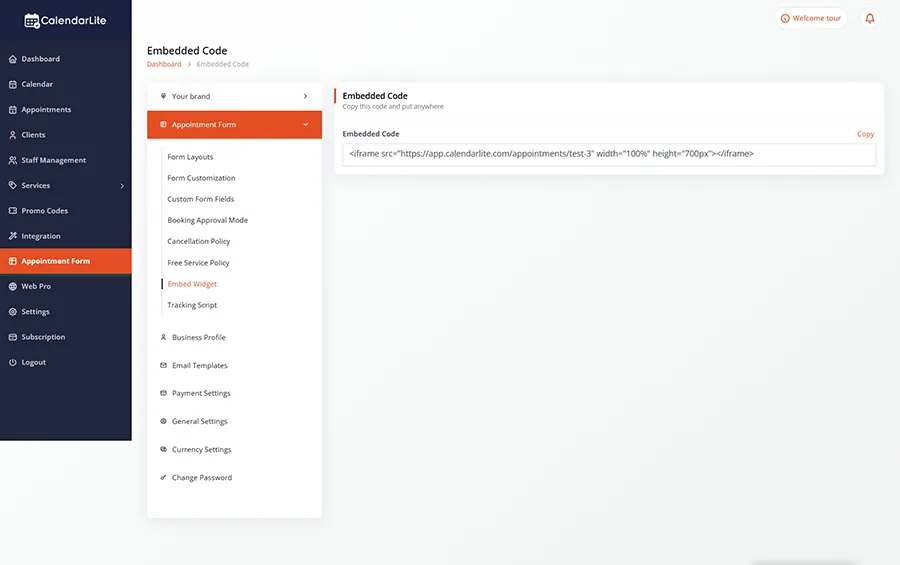
Easy Integration
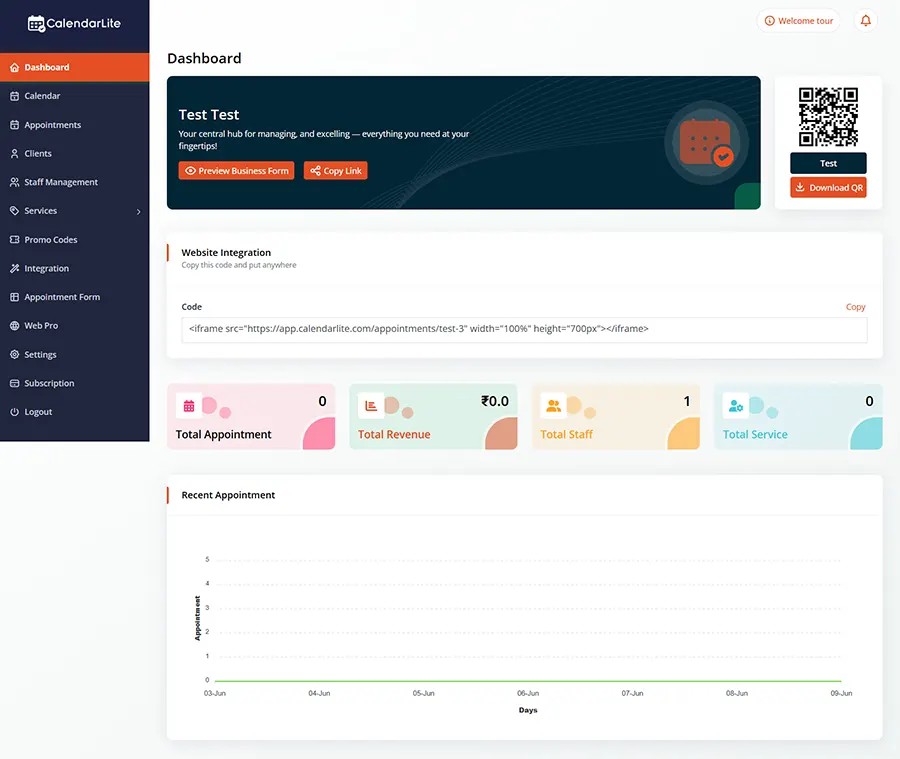
Add your forms to any website or share them via direct links. Integration is quick and hassle-free.

BENEFITS
Why Choose CalendarLite Forms
Create professional, branded booking forms
Increase conversions with better user experience
Collect the right information effortlessly
Save time with reusable form templates
Deliver a smooth and consistent booking journey
Explore CalendarLite by business type...
Common Questions
Frequently Asked Questions
Can I customize the form design without coding?
Yes, CalendarLite provides a fully visual editor that allows you to design and customize forms without any technical knowledge.
Can I match the form with my brand colors?
Absolutely. You can customize colors, fonts, and layouts to align perfectly with your brand identity.
Are the forms mobile-friendly?
Yes, all forms are fully responsive and optimized for mobile, tablet, and desktop devices.
Can I add custom fields?
Yes, you can add different types of fields and control how they behave, including required fields and conditional logic.
How can I use the form on my website?
You can easily embed the form on your website or share it using a direct link.
Start Designing Smarter Forms Today
Build forms that look great, work seamlessly, and convert better.